![biglogo.png]](https://kbase.zetaris.com/hs-fs/hubfs/biglogo.png?height=40&name=biglogo.png)
- Login to VM via zetaris user or switch to zetaris user after login.
sudo su - zetaris
- Stop the Lightning server using:
-
sudo service lightning-server stop

-
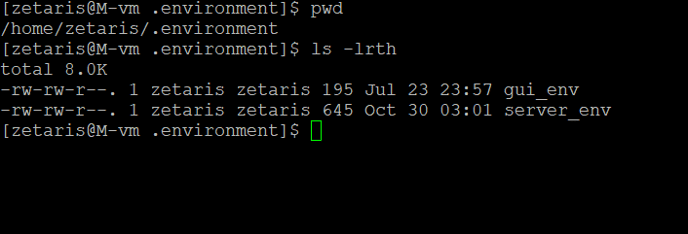
- Go to path
-
cd /home/zetaris/.environment
-
- Open the file server_env
-
vi server_env
-
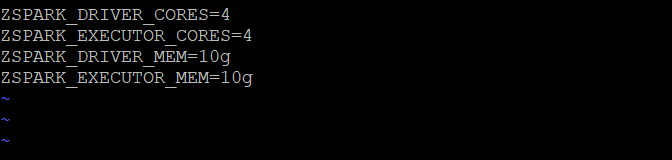
- For a VM with 16 GB RAM ,update ZSPARK_DRIVER_CORES to 4 and ZSPARK_DRIVER_MEM to 10GB. As shown below
<The below values should be based on the selected VM size. It is recommended to consult Zetaris before making any changes to these values. The SPARK_DRIVER_MEM and SPARK_EXECUTOR_MEM can be configured up to (Available RAM -8GB) >
ZSPARK_DRIVER_CORES=4.

ZSPARK_DRIVER_MEM=10g
 . Save the file using the below command
!wq
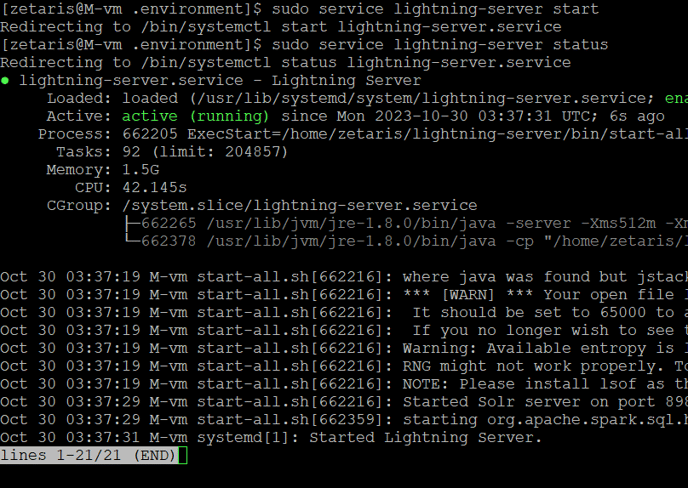
6. Start the Lightning server and check status using:
-
- sudo service lightning-server start
- sudo service lightning-server status