
Our Teradata connection allows you to virtually connect to your on-premise or cloud Teradata platform, and live query its tables.
Connect via NDP Fabric Builder
Connect via NDP Fabric Builder
Step 1: Click the Data Fabric Builder icon.
Step 2: Under Database Sources click the '+' next to Virtual Database Source to launch the wizard.
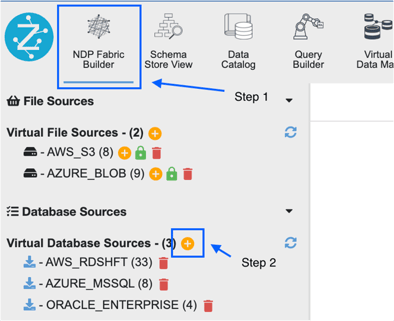
Step 3: When the GUI wizard launches accept the defaults and click Next.
Step 4: Specify the following values for the connection:
- Datasource: Teradata
- Data Source Name: your database
- JDBC Driver Class: leave default
- JDBC Url: Expressed in the following form
jdbc:teradata://{host}/DATABASE={database},DBS_PORT={port_number}
Default Teradata port is 1025
Required Parameters:
DATABASE: {database_name}
DBS_PORT: {port_number}
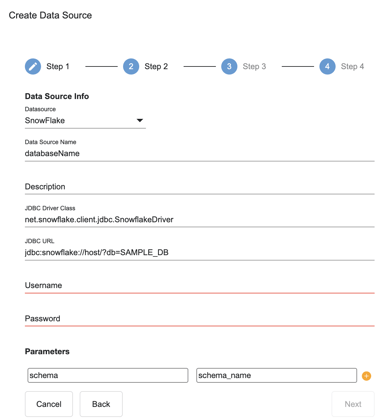
Click Next.
Step 6: On the summary dialogue click Register.
Step 7: The Snowflake data source should now appear under 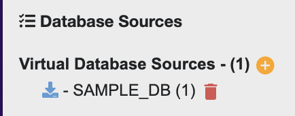
Connect via SQL Editor
The syntax to connect to Snowflake via SQL Editor is shown below
CREATE DATASOURCE SNOWFLAKE DESCRIBE BY "SNOWFLAKE" OPTIONS (
  jdbcdriver "com.snowflake.client.jdbc.SnowflakeDriver",
  jdbcurl "jdbc:snowflake://{host}",
  username "username" ,
  password "password",
  db "{database}",
  schema "{schema_name}"
);

REGISTER DATASOURCE TABLES FROM SNOWFLAKE;
Connection Troubleshooting
Snowflake query error:
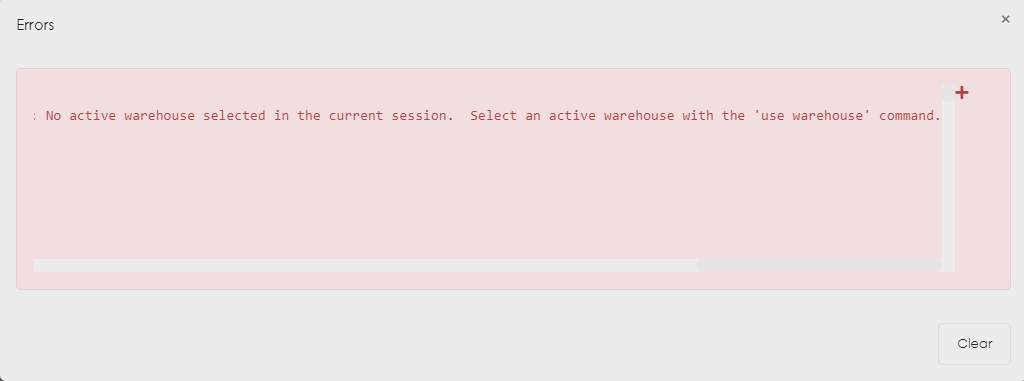
- No active warehouse selected in the current session. Select an active warehouse with the 'use warehouse'
Let's assume that the datasource connection already exists.
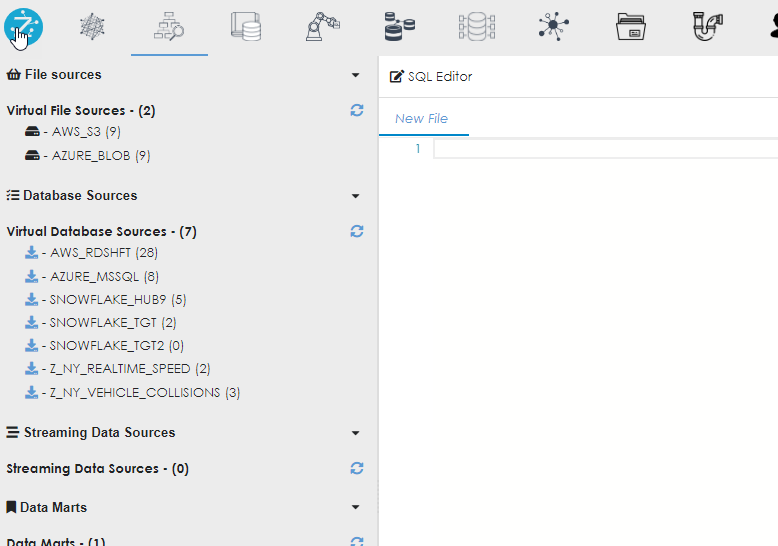
And we now want to see the metadata of the connection. In this case, we are looking at the table TEST01 in the database ZETARIS01, schema PIPELINE . Click the table name to expand the metadata high level contents.
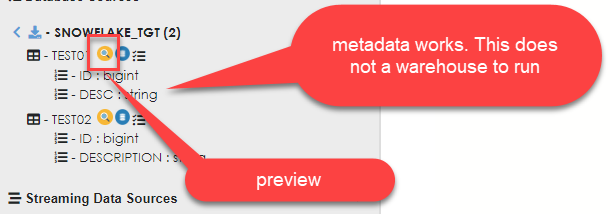
However, we land up with this result.
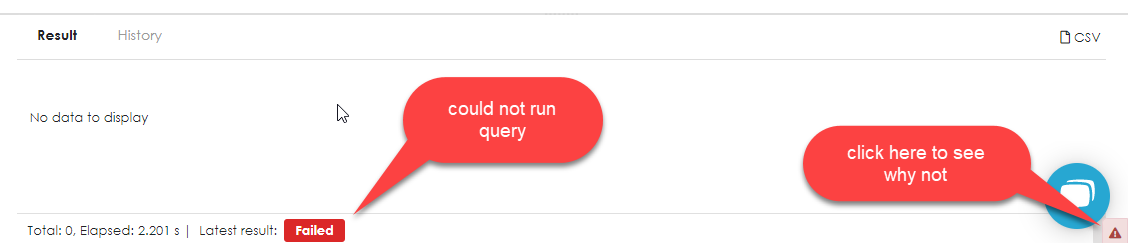
Upon inspection, we find that the connection is complaining about not being assigned a warehouse, even though the datasource connection explicitly states a warehouse and there is a default warehouse to be used for the particular user in Snowflake.
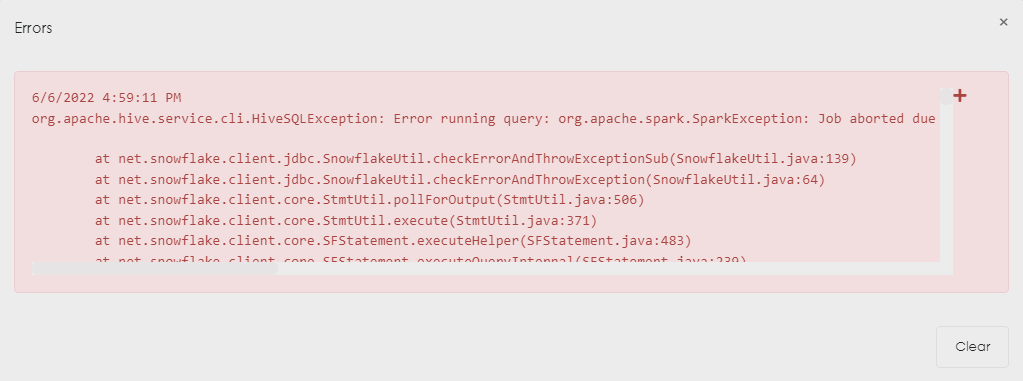
Let's go take a look at Snowflake to see what the problem could be.
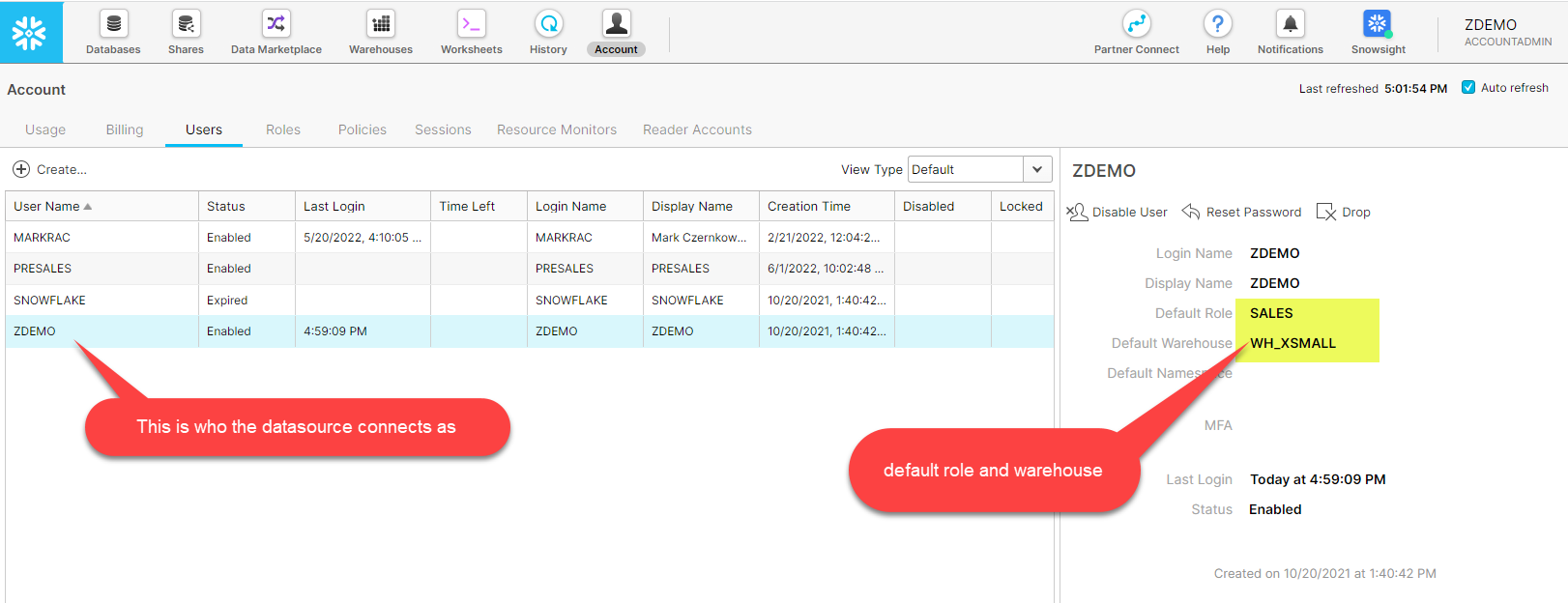
So far this looks fine. The user ZDEMO has been specified in the datasource connection. This user has the default role SALES and the deault warehouse WH_XSMALL assigned to it. What could the matter be?
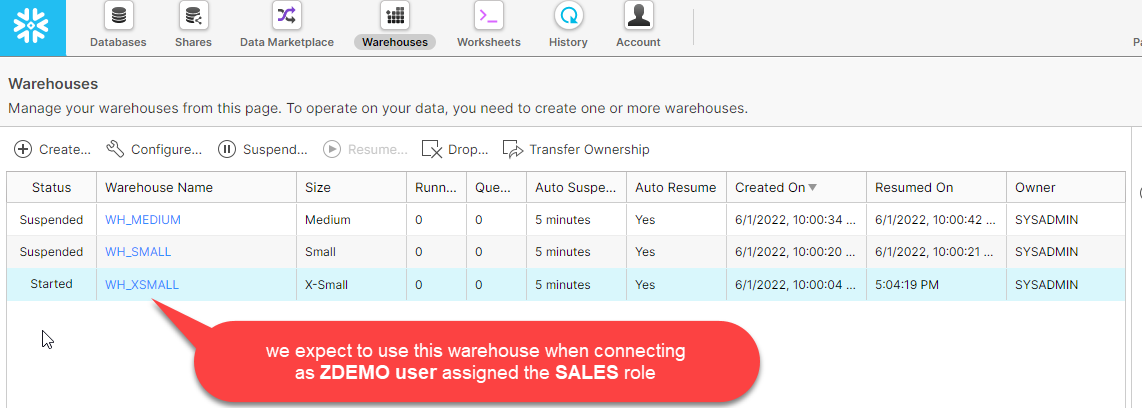
Could it be the warehouse name?
Nope! All good on this front.
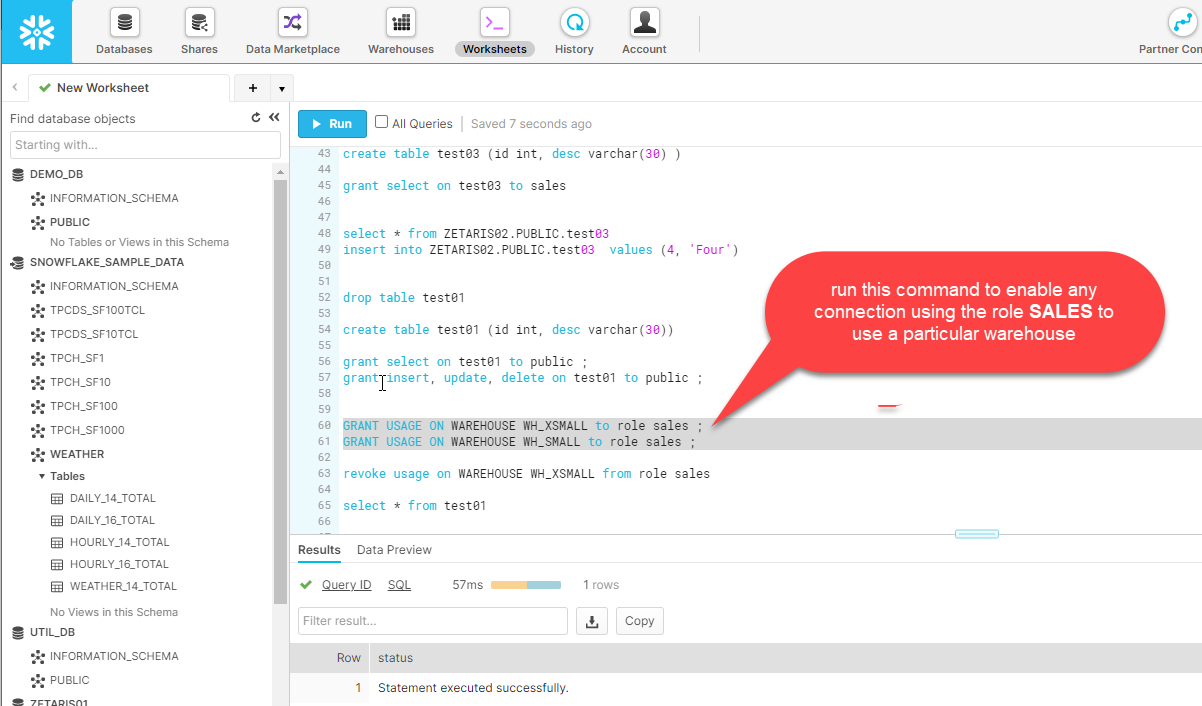
What is required is for the role that the user connects with to be able to actually use the warehouse. This is not obvious, but it a step that if missing will trip you up. The warehouse was created by the SYSADMIN role so the useage of the warehouse needs to be granted by that role or a superior role (in Snowflake, ACCOUNTADMIN role is the most senior role and is used to create accounts). So what happens once the usage privilege on the warehouse is granted?
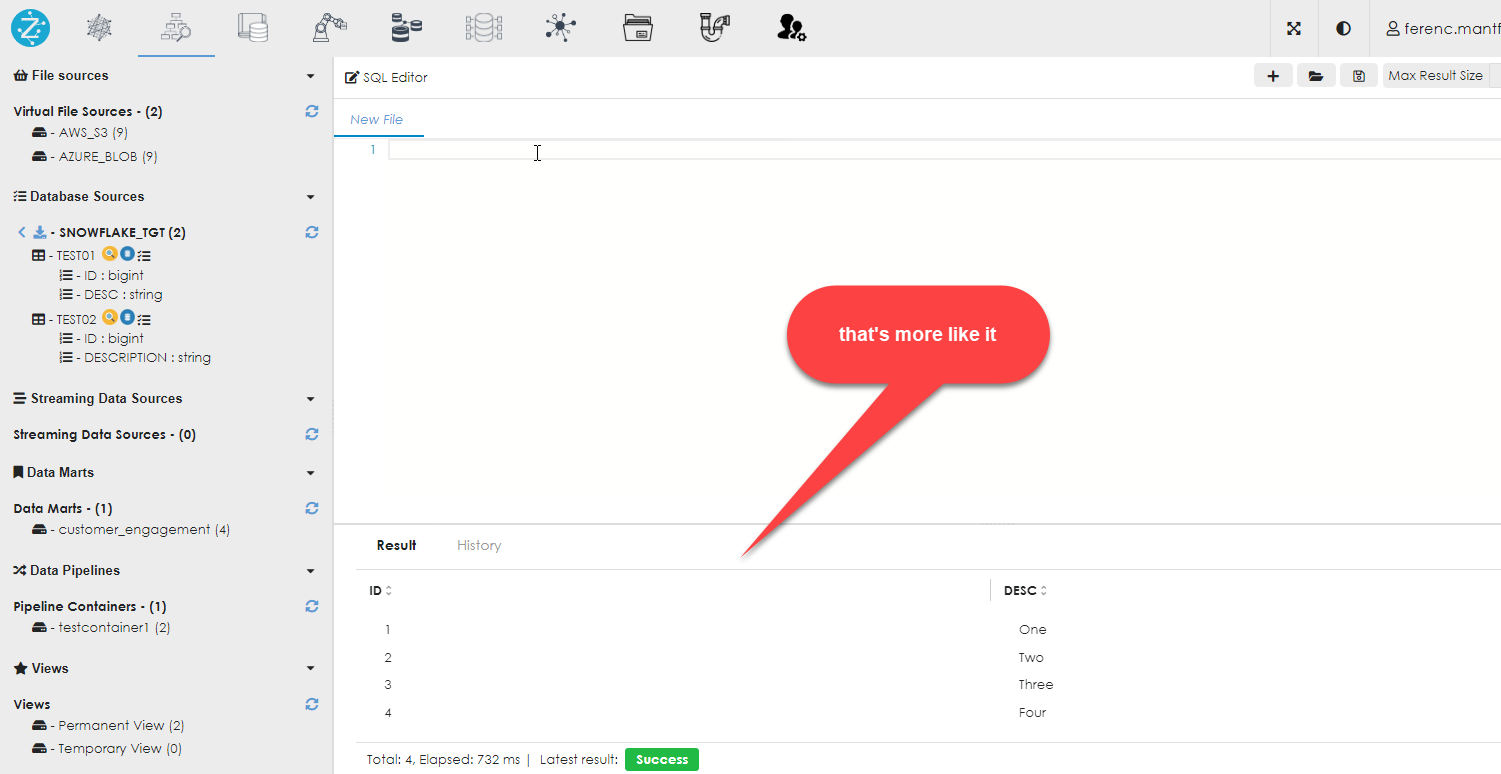
Everything works as expected.