
Accessing Zetaris Enterprise
How to access Zetaris
• Use your custom Zetaris web URL to access the browser interface. Contact your Zetaris administrator if you are not sure what this is. Example: atlasbank.zetaris.com.
• If your organisation uses single sign-on, use your organisation's login URL instead, i.e. https://<your-zetaris-host>/<slug>/login. Your administrator can find it under Management > Organisation.
To log in:
1. Enter your Username (your user email address).
2. Enter your Password. Click the eye icon to show or hide it.
3. Click Sign In.
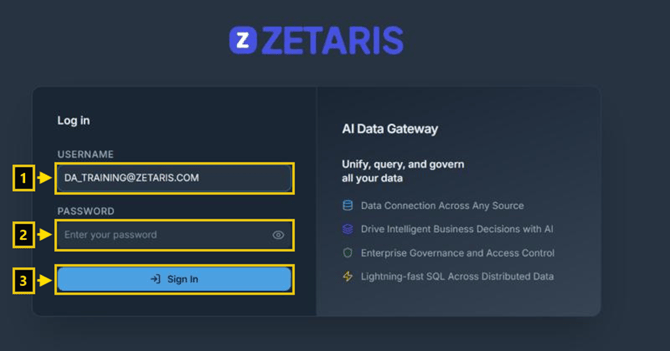
The Zetaris login page